Latest News
January 1, Massive Security Alert for Millions Using Password Managers

Wyatt’s Take
- Scammers are using fake LastPass emails that look exactly like legitimate company notices to trick people into downloading dangerous software
- The phishing campaign uses fraudulent DocuSign pages and lookalike domains that copy trusted brands word-for-word
- Your entire digital life could be at risk if crooks get hold of your master password — every bank account, email, and personal file stored in your vault becomes vulnerable
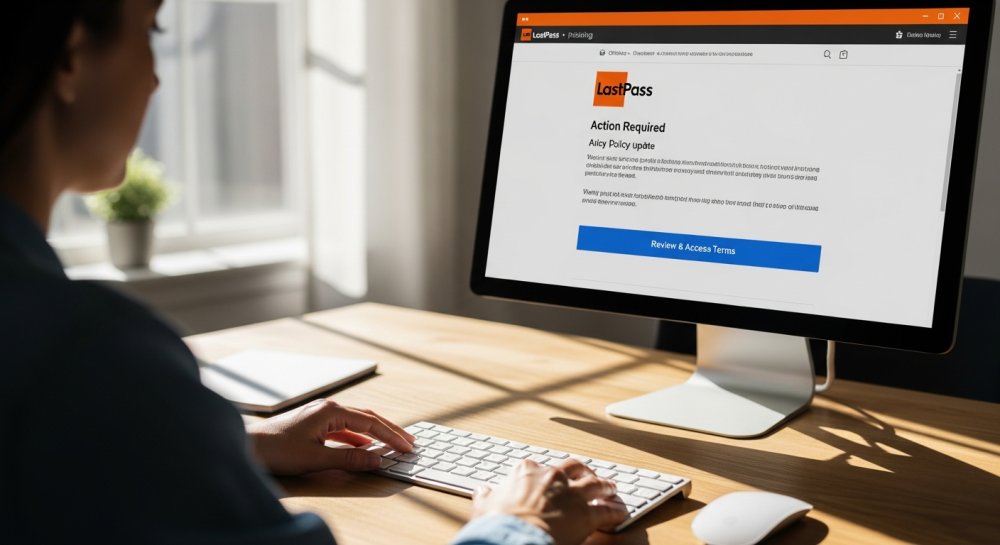
You open your inbox and see a message about updated security policies. Nothing about it screams scam. The email looks polished, the wording sounds official and the button promises a quick way to review the changes.
That is exactly what makes it dangerous.
LastPass is warning users about a newly identified phishing campaign that uses lookalike domains and a fake DocuSign page to lure people into downloading suspicious software. The good news is that LastPass says its systems were not affected.
The bad news is that scammers are counting on you to trust the logo, overlook the web address and click before taking a closer look. Here is what to watch for before one routine-looking email puts your entire password vault at risk.
The Phishing Scam Starts with a Routine Policy Email
The phishing email comes from [email protected]. Its known subject line reads, “Action Required: Review Updated LastPass Security Policies.”
Inside, the message claims LastPass has made service policy changes. It mentions enhanced SaaS monitoring.
It also claims administrators can reset master passwords and that the admin console has improved. Those details make the email sound like a real company notice.
However, the sending domain belongs to the attackers. LastPass says lastpassnewsletter.com has no affiliation with the company.
The email includes a Review & Access Terms button. That button creates the next layer of the trap.
Clicking the button sends you to lastpasscompliance.com. The landing page copies the look of DocuSign and claims a document is ready for review.
That choice makes sense from a scammer’s perspective. Many people receive electronic signature requests at work or while handling personal paperwork.
A familiar layout can lower your guard before you inspect the web address. The brand name gives the request a sense of legitimacy, even when the sender and domain do not match.
LastPass says Microsoft Defender for Office 365 and Cloudflare classified the phishing site as malicious. The page also prompted visitors to download software that claimed to work on Windows and macOS.
LastPass was still investigating the download when it published its warning. Therefore, you should treat the file as dangerous and avoid opening it.
The site also displayed a live support chat box, although it was unclear whether the chat worked. The malicious page had gone offline by the time the campaign was reported.
However, attackers can quickly replace blocked domains with new ones.
Password Manager Users Are Prime Targets
LastPass users are not the only targets. Bitwarden customers have received similar messages from [email protected].
Those emails directed recipients to bitwardencompliance.com. The matching format suggests attackers may be reusing the same campaign structure across password manager brands.
That matters because password manager customers present an attractive target. One stolen master password could put many saved accounts at risk.
Multi-factor authentication may still block access, depending on your security settings. A password manager remains valuable protection.
In fact, autofill can help expose a fake website because the manager should recognize the legitimate domain.
This campaign follows other LastPass-themed phishing attempts from earlier this year. In January, fake messages warned that users had only 24 hours to back up their vaults before maintenance.
Then, a March campaign used fabricated email threads about unauthorized account access. Both approaches relied on urgency to push people into acting before they verified the message.
The new compliance notice uses a calmer approach. It looks like paperwork rather than a crisis.
That may make it especially effective because policy updates feel normal and boring.
How to Protect Yourself
A few careful steps can keep one convincing email from turning into a much larger problem. Delete the message or report it as phishing.
Do not reply. Avoid opening its links or downloading the file it offers.
Use the official LastPass app or type lastpass.com into your browser. Check for account notices after you sign in through the trusted route.
Lookalike domains often add a trusted brand name to words such as “newsletter” or “compliance.” Check the website address before the first slash.
A legitimate LastPass address should end in lastpass.com, such as support.lastpass.com, rather than merely containing the word “LastPass.”
A password manager may refuse to fill your credentials on a fake domain. Treat that as a warning.
Do not copy and paste the password to get around it. Instead, close the page and access your account through the official app or website.
If you clicked the link or downloaded anything, use a trusted device and go directly to LastPass. Change the master password immediately.
Then review your vault for unexpected activity, as LastPass recommends. Next, change passwords for sensitive accounts stored in the vault if you see signs of access.
Start with email, financial accounts, cloud storage and social media. Use a different password for every account.
Additional Security Steps
Do not open software offered by a security notice you reached through email. If you already opened the file, disconnect the affected device from the internet.
Then use strong antivirus software to inspect it.
Enable multi-factor authentication for your password manager and other important accounts. An authenticator app or security key can add a barrier if someone steals your password.
However, never approve a login request you did not initiate. A second security step only helps when you treat unexpected prompts as a warning.
Scammers often use information from data broker sites to make phishing emails feel more personal. That could include your phone number, home address, relatives or past employers.
A data removal service can help find and remove some of that information from people-search websites. It will not secure a compromised password manager, but it may give scammers fewer details to use in future attacks.
Forward questionable LastPass-branded emails to [email protected].
“LastPass says no one from the company will ever ask for your master password.”
The Real Danger Is How Normal It Looks
What makes this scam dangerous is how normal the email looks. Most people expect password manager alerts to sound urgent.
This one arrives dressed up as a boring policy update, which may make you less likely to question it. The biggest red flag is the web address.
A company name inside a domain does not mean the company owns it. Before entering a master password or downloading anything, close the email and open the password manager directly.
Your master password protects everything stored in your vault. Treat any request for it like someone asking for the keys to your house.
Wyatt Matters
The folks who built their lives online trusted these password managers to keep their families safe. Now criminals are exploiting that trust with emails so polished they fool even careful people. This is why the average American needs to slow down, read twice, and never click first. Your bank account, your kids’ information, your medical records — all of it sits behind that one master password. Guard it like the front door to your home, because that is exactly what it is.


-
 Entertainment3 years ago
Whoopi Goldberg’s “Wildly Inappropriate” Commentary Forces “The View” into Unscheduled Commercial Break
-

 Entertainment3 years ago
‘He’s A Pr*ck And F*cking Hates Republicans’: Megyn Kelly Goes Off on Don Lemon
-

 Featured3 years ago
US Advises Citizens to Leave This Country ASAP
-
 Featured3 years ago
Benghazi Hero: Hillary Clinton is “One of the Most Disgusting Humans on Earth”
-

 Latest News3 years ago
Nude Woman Wields Spiked Club in Daylight Venice Beach Brawl
-
 Featured3 years ago
Fox News Calls Security on Donald Trump Jr. at GOP Debate [Video]
-

 Entertainment3 years ago
Comedy Mourns Legend Richard Lewis: A Heartfelt Farewell
-

 Latest News3 years ago
Supreme Court Gift: Trump’s Trial Delayed, Election Interference Allegations Linger
DjangoCat
July 22, 2026 at 12:54 pm
Don’t use a passwprd manager, period. Use a simple text file and update as needed. Use secure storage for the text file.